
Team
Playground
Share a simple app powered by your workflow to your team
The playground let's you share a simple app powered by your workflow to your team. It's great for testing and getting feedback from people without needing them to use ComfyUI.
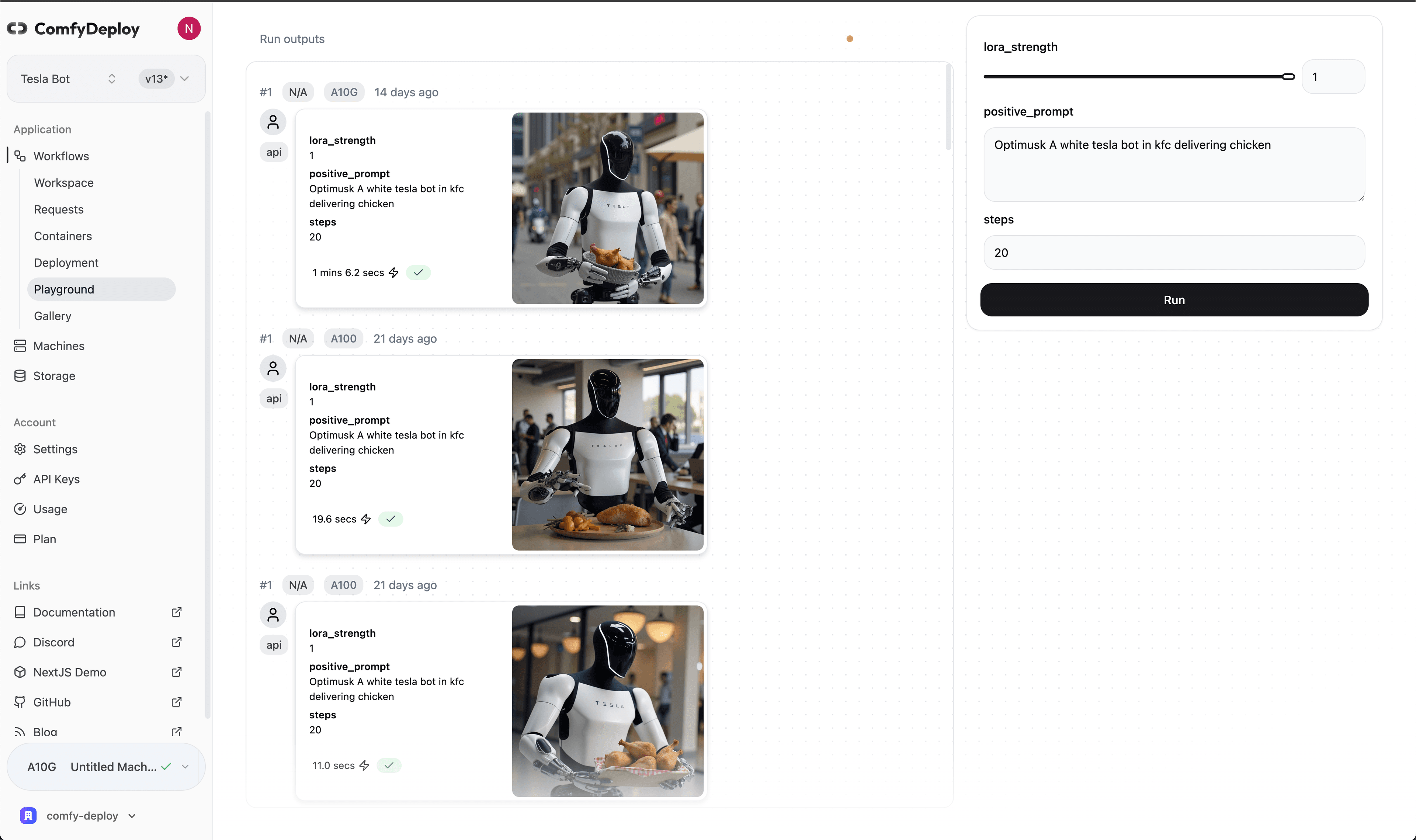
The UI is defined by the inputs you expose in your workflow. Here's a list of the inputs you can use.
Roles
For people you want to share the playground with and nothing else, you can invite them as a "User" in your organization profile.
Note: Roles require you be in an organization. Learn more about roles.
Run details
Every run in the playground has a detail view:
- Timeline bar — how long the run spent in Queue → Cold start → Execution, so you can tell "slow model" apart from "cold machine"
- Inputs / Outputs / Logs tabs — exactly what went in, what came out, and the full ComfyUI log (logs are retained for 30 days)
- Tweak — re-run the same workflow with modified inputs, without leaving the run view
- Gallery — recent results in the right rail; click any to load its run
Run costs appear on the Usage page the moment a run finishes — see How Billing Works.